Build goal: establish a method to build out a schedule that is high-level intuitive, flexible, and ground-level usable.
Build elements: schedule form(s)
Build concepts: continuous improvement, goal setting, task planning, prioritization
Build video: coming soon
In the most basic schedule form, it is presented like the following:
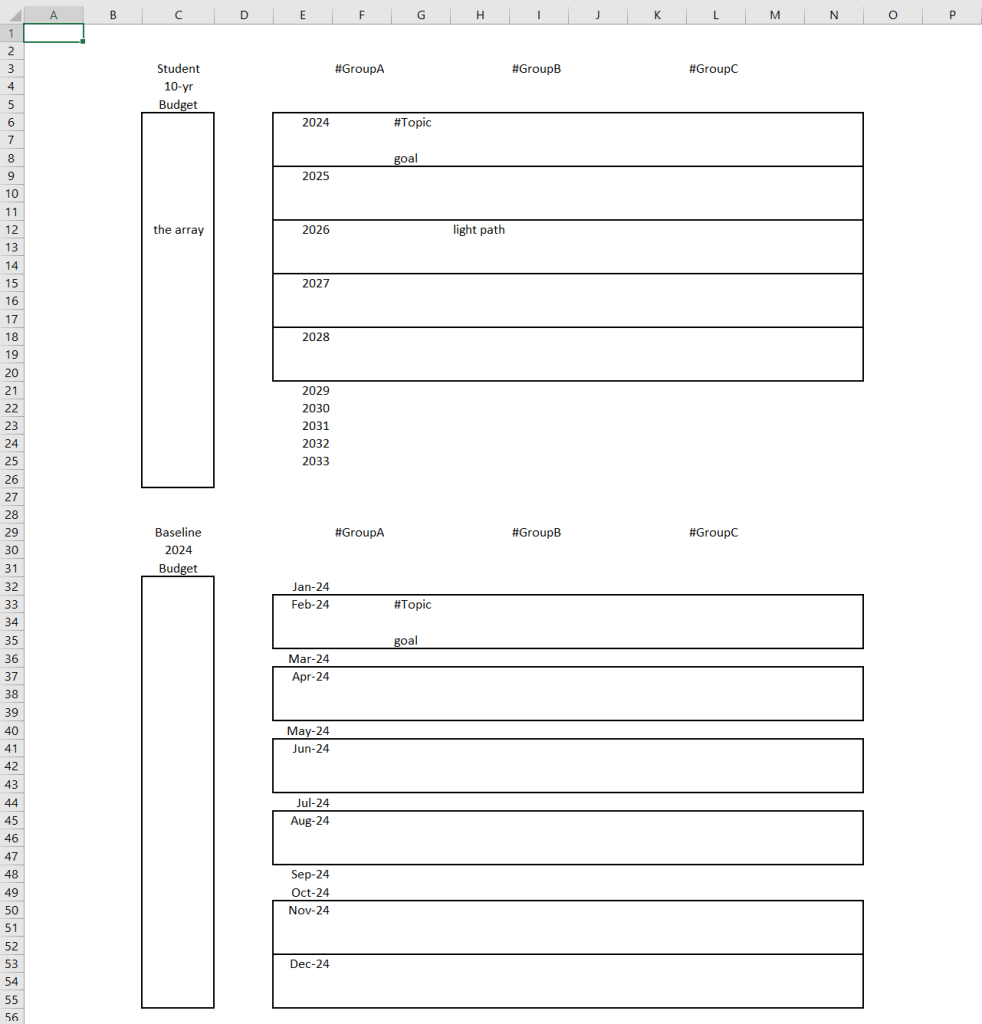
Notice that it is marked as a 10-yr table, but only the first 5 years are blocked with imaginary content in the blank space. It is a flexible schedule that works the way you want to do work. #GroupA is replaceable with an area of life such as School. While #Topic is replaceable with Algebra and Multi-Variable Equations can replace goal. It is that simple to establish a goal within a topic in an area of interest. The table can increase vertically and horizontally per requirements. This table is useful for persons who wish to conduct long-term plans.
The second table (by months of 2024) is a presentation of the top-most blocked rectangle denoted by the year 2024. I gave it the unimaginative name of Baseline and remarked it as a Budget of the time in 2024. It works the same way as the first table by way of setting goals, however, it is a duty to now construct tasks that build-up to the annual goal of the first table. You can see that some months are blocked and others are not, only for illustrative purposes.
Before I go any further, you think it might be a fair concept but it looks much too complicated to construct. If you will give me 3 minutes and a few steps, the basic schedule form is complete.
Let’s begin first by selecting the entire sheet and change the fill to something you like to see. Make sure that the text is legible too.
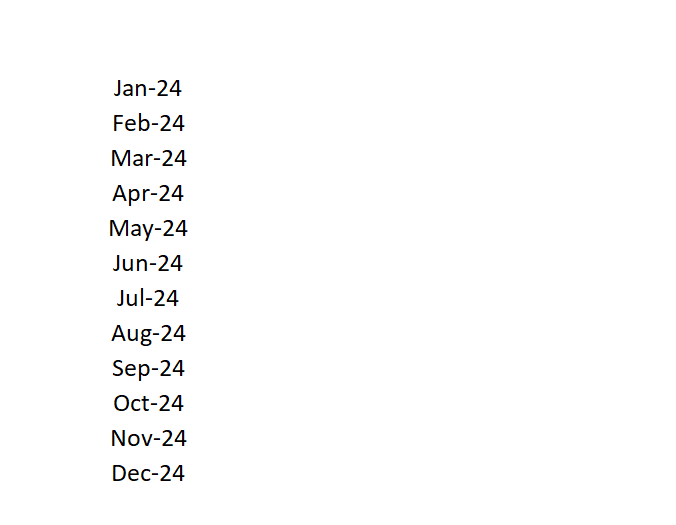
Now, go to column E and several rows down, type January, 2024. Click back onto the cell and find the bottom-right square handle to pull it down for autofill, all the way to Dec-24.
Find column F and a few rows down from the top, you can type in GroupA. Adjacent to GroupA, fill in for GroupB to GroupD in separate cells. It looks like this:
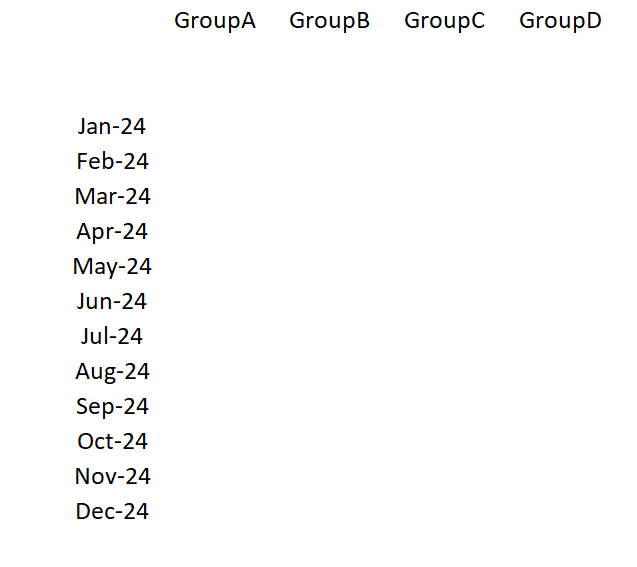
At this point, it’s almost complete. I want to put in the array and table name to make it more presentable. The array is useful as an area to highlight information about your plans.
Go to column C at the row of Jan-24. Highlight the cell and drag down to one cell below (it’s just to avoid formatting errors later on) Dec-24. Choose a thick outside border for the highlighted cells or choose a cell style such as 20% blue.
Name the table Baseline 2024 Budget as below:
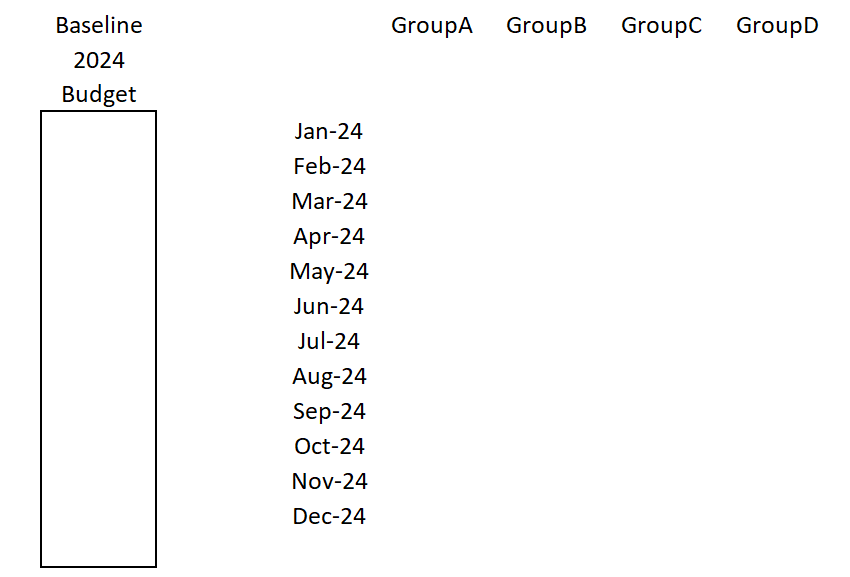
The basic schedule form is complete. Not difficult to construct at all and it is flexible for your personal planning requirements.
Essentially, in one spreadsheet tab, you can see plans for 10 years or even more. It will exceed the height of your screen, but there are ways to make looking at it much easier such as the split view and finding the proper place with the name reference box.
Let’s not get way ahead of ourselves with too much information.
Practice a schedule build with your unique requirements, such as:
- more goals per topic
- more topics per group
- building out all the months (or not) in a year
You may notice that setting goals per month is not sufficient enough for personal or work because it lacks days of each month.
Now, your task is to try and make a basic schedule form with the days of a month. It should be a simple task.
Next, when I get enough sample data to display in the schedule then I can describe the logical flow between the tables to arrive at a simple method of planning.
No promises on expectations but I am confident it will be useful to people who are keen to track their goals and manage their time in an intuitive way.
 Any Desk