Let me start with the Reporting tab’s yearly table of sample data below and I will describe my experience to put together this table. I do apologize for the fixed size of the photo and I do not know how to make it for better viewing yet. It will be a task for another day.
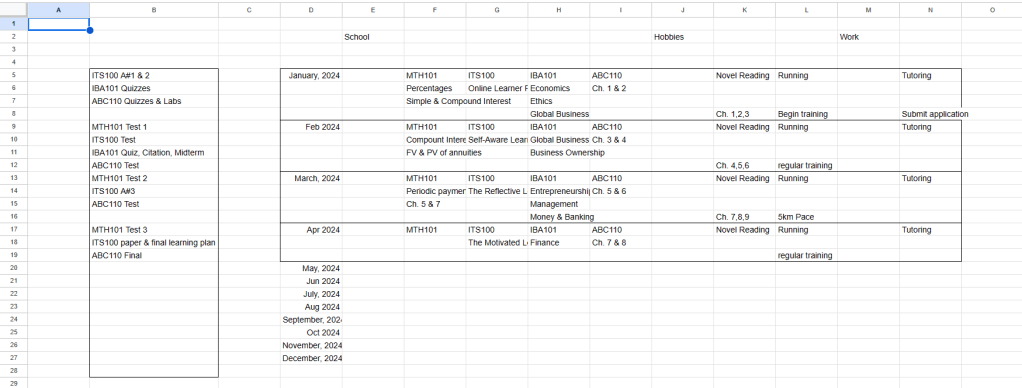
To set the basic schedule form takes probably 1 minute in a spreadsheet document. It is also possible to do this in pen & paper because there is a template created for that purpose by me. Maybe I will consider to put the template up somewhere, someday.
There is a bunch of illegible words in the photo but I will describe to you my way of transferring data to the form.
To populate the form, I used sample data from my college days and some other brief data in the area of Hobbies and Work. I transferred the learning goals of each month for each course into the form without trouble. I say it is a tedious task prone to transfer errors but it is an easy job to do. If you are not the person to keep such detailed information then consider only keeping track of assignments, quizzes, labs, tests, and finals. I guess the people who maintain an interest in keeping a schedule will be more detailed. Anyhow, be sure there are no errors between the form and your course outline!
While I keep track of all the learning goals so I used the array sidebar as a place to keep track of important milestones like evaluations. I only put together the first semester worth of data into the form because that will be all the information available to the student. In all, it took about half an hour to visualize 4 months of various goals. Timing will vary.
Let me describe the 2024 (or Current Year) tab’s January table here.
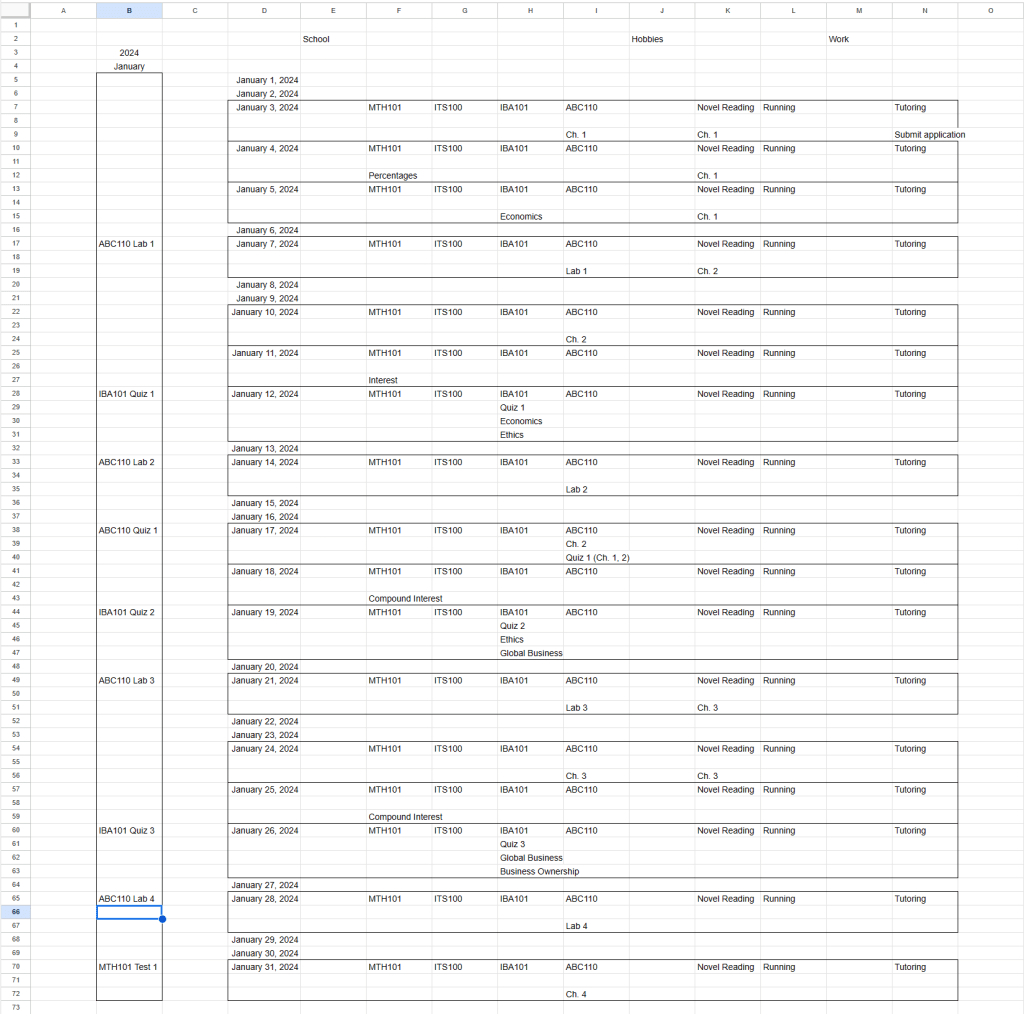
This time the table is much longer and it contains data only for the month of January across School, Hobbies, and Work. I maintain the evaluations in the array sidebar and brief description of the learning goals or chapter number (I thought the title was too long but you can still use it by resizing the cells) as goals. It took another half an hour to establish a month’s detailed schedule. Notice that some days have rows and consist of more goals and it is perfectly normal.
It is easy to see the streak of days available in-between evaluations with everything put together. The downside is absence of visualization for the actual timeslot for the goals. I did not mention it before but it is possible to make a daily schedule out of the basic schedule form too. I can easily make one and visualize when I am available for deep work. I believe the calendar is the place for important appointment scheduling.
In the case that goals are missed, do not delete and move things around but highlight it and reschedule it where possible. A look at the college schedule reminds me how life is a sequence of hurdles to cross above and beyond before the next hurdle comes at me.
I can use the basic schedule form as a forward-looking document or as a record of what happens on a daily basis. It is a matter of personal preference. I can highlight the days that pass successfully so it is easier to see. Also highlight the days that do not so I can keep up with it.
Once the basic schedule form is in usage, it will be easy to see the shortcomings of our productive life. If I tend to miss a lot of school goals, then maybe I need to re-evaluate the root causes of that.
It is difficult to believe but all the work that goes in January will lead to those brief goals on the Reporting tab for the block of January. This is the type of task buildup that I do using the college syllabus.
A note about the block border for each of the above because I used a macro to easily put in the rows and border together. I will make a video to demonstrate how to do that.
The videos for the prior blog posts will arrive because I am not a video maker. It is in the works.
 Any Desk