In a prior post, I raised the idea of reporting and here is a first look at reporting on the schedule build with sample data.
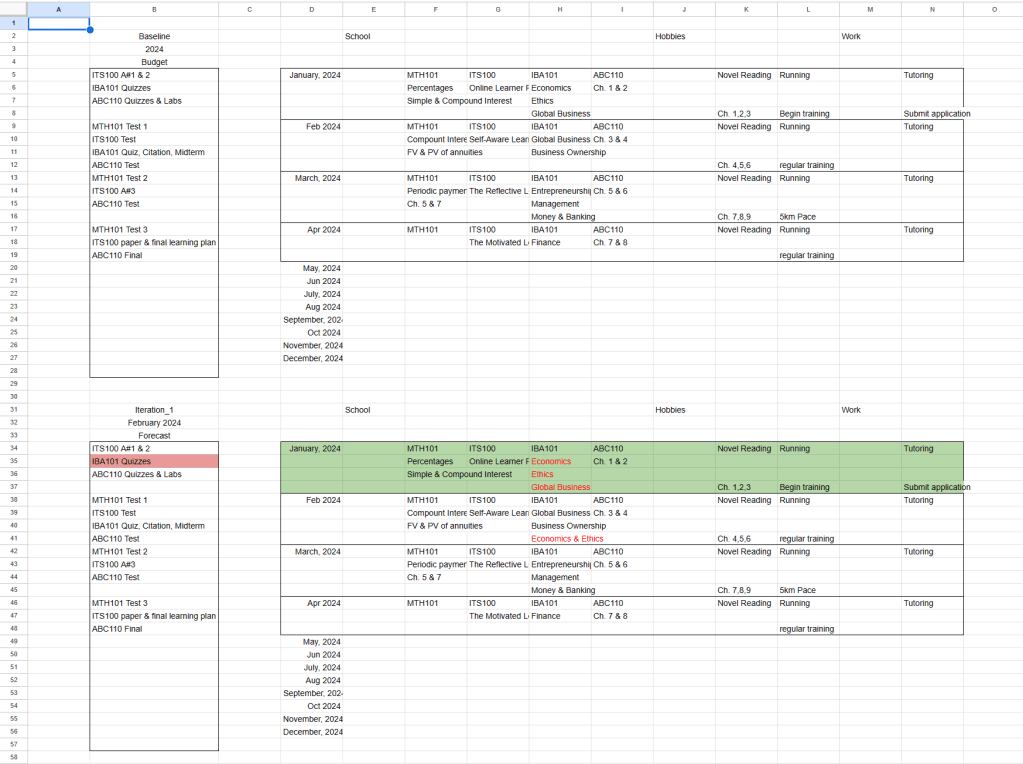
Again, apologies for the small picture and I hope to make it better in the future when I figure out the settings.
Reporting is work at the end of a defined period set by the user. So it can be a period of 1-month, 2-month, 3-month, 6-month, or even 1-year. It is dependent on the user to find the time to do reporting on their progress.
In this example, the reporting period is set for 1-month such that the initial month of studies can be reviewed. The items highlighted in red indicate problems during the prior period (January). The corrective measure is to give more resources and assistance to those items.
So there is some work to do when I build the February schedule because I need to take into consideration my performance in January. There may need to be adjustments on my daily schedule to accommodate more work or to increase productivity. Problems with productivity will arise and hopefully they can be remedied through knowledge.
There is no need to build the schedule again when doing reporting. Simply copy the initial table and paste it below while giving it different titles to ensure their difference. I highlight the complete month in green to define them visually.
Look for places to make improvements and note them visually. Make adaptive changes in the current period.
And that’s a first look at reporting.
 Any Desk